

 #1
Kiss Live Chat
Featured · Web · iOS
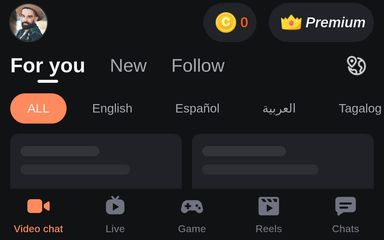
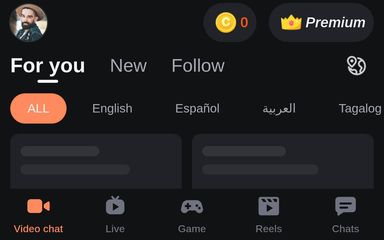
Per the site, Kiss Live Chat runs in the browser with interest and language filters, so you can start a 1-on-1 video chat without an app-store step.
App guide · Live calls
A live video call app does one thing well: it puts you face to face with someone new in seconds. Unlike FaceTime or WhatsApp, you do not need their number. This guide explains how live matching apps work and which ones we would install first.

There are two kinds of “video call apps”. The first, like FaceTime, calls people you already know. The second matches you live with strangers who are online at the same moment. This page is about the second kind.
Good live call apps have three things in common: fast matching, a clear way to skip or report, and honest pricing. Most are free to start and charge coins for extras such as filters, gifts or longer private calls.
| Point | Live 1-on-1 call app | Live streaming app |
|---|---|---|
| Camera | Both people on camera | Mostly the streamer |
| Start | Tap and match | Pick a stream to watch |
| Cost | Free to start; coins for extras | Free to watch; gifts cost money |
| Best for | Conversation | Entertainment |
A good app finds a match in a few seconds at peak hours.
You should be able to report someone without leaving the call screen.
The app should show what coins cost before you buy them.
Translation or language filters help you talk across countries.
Camera and mic are needed; contacts and location usually are not.
A browser version lets you try before installing.
Avoid APKs from unknown sites.
Decline contacts or location unless you need them.
It improves the first matches.
Skip or report anyone who makes you uncomfortable.
These three lead every ranking on this site. Each has a web version and publishes its own rules.
#1Featured · Web · iOS
Per the site, Kiss Live Chat runs in the browser with interest and language filters, so you can start a 1-on-1 video chat without an app-store step.
 #2
Featured · Web · iOS
Per the app, Livego centres on themed party rooms with question and challenge cards, which helps when you want a group feel rather than pure roulette.
 #3
Featured · Web · iOS
Per the app, YOYO requires identity verification and runs around-the-clock moderation, which matters when you chat with people you have never met.
Live video call apps are for adults 18+. Keep personal details private, report abuse and remember that others can record their screen.
An app that matches you live, on camera, with new people who are online at the same time.
Most are free to start, with paid coins for extras.
Many let you sign up with email or another login; some need no account to try.
Kiss Live Chat, Livego and YOYO lead our rankings.
Facts about each platform come from its official site or app-store listing. 18+ only · never share personal information.
 Best video chat apps
 Random video call apps: free random video calls with new people
 Video chat apps for Android
 Video chat apps with live streaming