
Video chat app directory
Video chat apps I actually keep on a short list - 1:1, random, and room-style. Kiss Live Chat, LiveGo and YOYO sit in the regular numbered list, in the same format as everyone else.















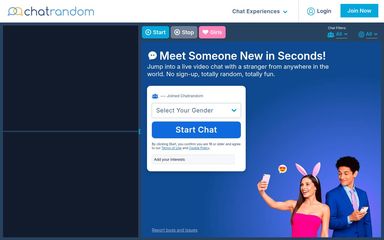

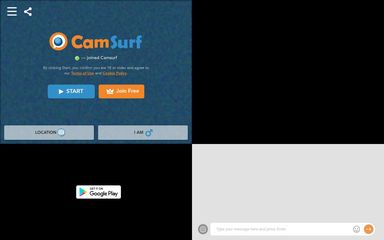

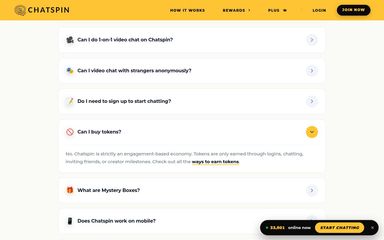

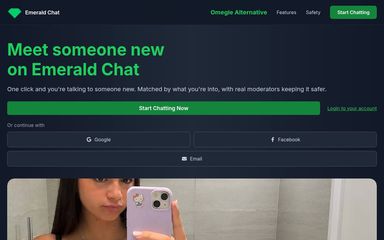





How to read this list of video chat apps
This is a directory, not a store chart. The numbered rows are apps I keep on a short list for 1:1, random and room-style video. The blurbs are editorial notes. I do not invent user scores, download counts or subscriber figures. Kiss Live Chat, LiveGo and YOYO sit in rows 1, 2 and 3 in the same format as everyone else; that placement is our choice, explained on the disclosure page.
A “video chat app” can be a store listing, a page that runs in a browser, or both. The Visit button on each row goes to the product’s own site. If you do not want an install, look for a web version. If you prefer your phone’s official store, confirm the listing there. This page is not that store listing.
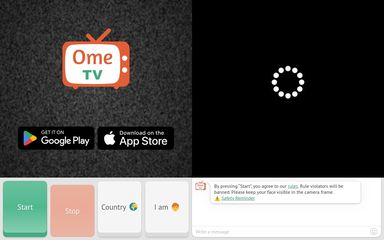
Random skip-to-the-next-face, a party room and a single 1:1 call all get called video chat, but they do not feel the same. Decide which of those you actually want before you weigh the names. That is the only ranking that matters on a first visit.
Which kind of app you may be looking for
| If you want | Look at | Related page |
|---|---|---|
| A first try in a browser | Rows whose notes mention a web version, starting with the featured three when you want a short list. | Video chat apps with a web version, Free video chat apps |
| A classic random match | Rows that describe an Omegle-style “next” rhythm. | Apps like Omegle, Omegle alternatives |
| A phone store app | Notes that mention iPhone or Android; confirm the official listing yourself. | Best video chat apps for iPhone, Best video chat apps for Android |
| A tighter shortlist | The narrower sister directories, not a longer version of this same list. | Best video chat apps |
The Turkish counterpart of this directory is görüntülü sohbet uygulamaları. It is written for a different audience and is not a word-for-word copy of this page.
Safety tips before you allow the camera
- Open the app from its official store listing or from the product’s own site. If the address bar jumps to a different domain, close the tab.
- Clear the background and hide notifications before you grant camera or microphone access.
- Do not give a school, workplace, neighbourhood or last name in the first minute of a chat.
- Leave if someone asks you to move to another app or to send a photo.
- Random and dating-adjacent rows on this site are for adults 18+.
For permissions in more detail see video chat app permissions explained and privacy settings. How we treat product names is on the disclosure page.
Is this a ranked chart?
No. The numbers are for reading order. Rows 1 to 3 are our featured editorial picks. The blurbs are notes, not scores.
Why do some apps appear as both a site and an app?
Because some products offer both. This page will not invent a rule about which one you should use. Read the first screen of the version you actually open.
Where do I find apps that start for free?
See free video chat apps. “Free” may still describe only the first session. I do not invent prices.
What if I want a LivU-style or Omegle-style app?
Use the related directories: LivU alternatives and apps like Omegle. They narrow the same catalogue rather than repeating this full list.
Do I have to create an account?
It depends on the product and sometimes on the mode (text versus video). Check the first screen. This directory does not invent a hidden sign-up rule for each row.
Labels you will see in this directory
Short labels on a row — “web,” “app,” “free,” “1:1,” “group” — are reading aids, not scores. I do not invent download counts or star ratings to go with them. If a product offers both a site and an app, both links may appear; they are not automatically the same experience. A web session lives in the browser tab. An app adds a store page, updates and, often, a notification prompt. Choose the one you actually intend to open, then read that first screen.
“Free” usually describes the first session, not a promise about later screens. If a paywall or a credit system appears, take it from the product itself. This directory will not guess a price. For a narrower cut, use free video chat apps. For a random-match style, use apps like Omegle.
The numbered order is for scanning. The first three rows are editorial featured picks; everything under them is still part of the same catalogue, not a losing tier. How those picks are chosen lives on the disclosure page, not in a hidden ranking sentence here.
How to try one row from this directory
Once you have picked a row, the useful work is a first session, not a longer list. Use the product’s own first screen as the source of truth.
- Open the official link and check that the permission prompt names the site or app you actually intended.
- Decide between the web version and the store app before you install anything. They can share a name and still feel different.
- The first three editorial picks on this list are there for different jobs: Kiss Live Chat when you want a browser path for video, text or voice; Livego when you want group video rooms on iPhone; YOYO when built-in translation is the reason you opened the row. Those are not scores, and a later paywall is still something you read from the product itself.
- Find report and leave, tidy what the camera can see, and keep your real name out of the first messages.
If you need a narrower cut after that, use free video chat apps or apps like Omegle.
Names are used only to identify products. This is not an official page for any brand mentioned.