

 #1
Kiss Live Chat
Featured · Web · iOS
Per the site, Kiss Live Chat runs in the browser with interest and language filters, so you can start a 1-on-1 video chat without an app-store step.
Blog · iPhone
People still search the App Store for Omegle. There was never an official Omegle iPhone app, and the website closed in November 2023. Apps with “Omegle” in the name are unrelated. This post explains what to use on an iPhone instead.

Omegle always ran in a browser. On iPhone that meant Safari, which only gained reliable camera support for web video chat in later iOS versions. When the site closed, any app using its name became an unofficial copy.
The good news: modern random video chat works well on iPhone, either through App Store apps or straight from Safari. The steps below cover both, plus a few warnings about look-alike apps.
| Option | How | Notes |
|---|---|---|
| App Store app | Install a random video chat app | Read the developer name and reviews |
| Safari web version | Open the site and allow camera | No install needed |
| Home Screen web app | Share → Add to Home Screen | Feels like an app, uses little storage |
| “Omegle” apps | Avoid | Not affiliated with the original |
Apps titled “Omegle” or similar have no connection to the original site.
Some copycat apps push weekly subscriptions right after install.
Check the App Privacy label for what the app collects.
Our top three or another app with clear rules.
Settings → Safari → Camera, or the app’s own settings.
For web versions, use Share → Add to Home Screen.
Skip or report anyone who makes you uncomfortable.
These three lead every ranking on this site and work on iPhone through apps or Safari.
#1Featured · Web · iOS
Per the site, Kiss Live Chat runs in the browser with interest and language filters, so you can start a 1-on-1 video chat without an app-store step.
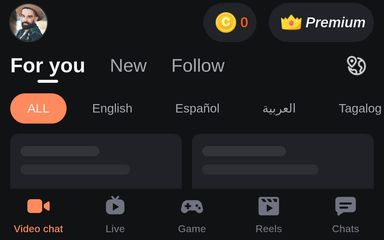
 #2
Featured · Web · iOS
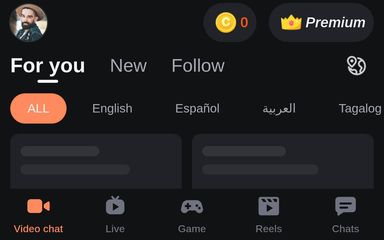
Per the app, Livego centres on themed party rooms with question and challenge cards, which helps when you want a group feel rather than pure roulette.
 #3
Featured · Web · iOS
Per the app, YOYO requires identity verification and runs around-the-clock moderation, which matters when you chat with people you have never met.
Random video chat is for adults 18+. On iPhone, review each app’s privacy label and keep personal details out of view.
No official one ever existed, and Omegle closed in 2023.
Yes. Many random video chat sites work in Safari on recent iOS versions.
They are unofficial. Check developer, reviews and privacy labels carefully.
Kiss Live Chat, Livego and YOYO lead our rankings and work on iPhone.
Facts about each platform come from its official site or app-store listing. 18+ only · never share personal information.
 Best video chat apps
 Apps like Omegle for iPhone and Android
 Best video chat apps for iPhone
 Omegle app: is there an official one?