


Featured
Kiss Live Chat
WebiOS
Per the app: Video chat 1-on-1 on the web or with the iPhone app.
Random video chat can be entertaining precisely because you do not know who will appear. That surprise also creates a safety trade-off. Even when a service has moderators, reporting tools and clear rules, you are still speaking to someone whose identity and intentions you may not know.
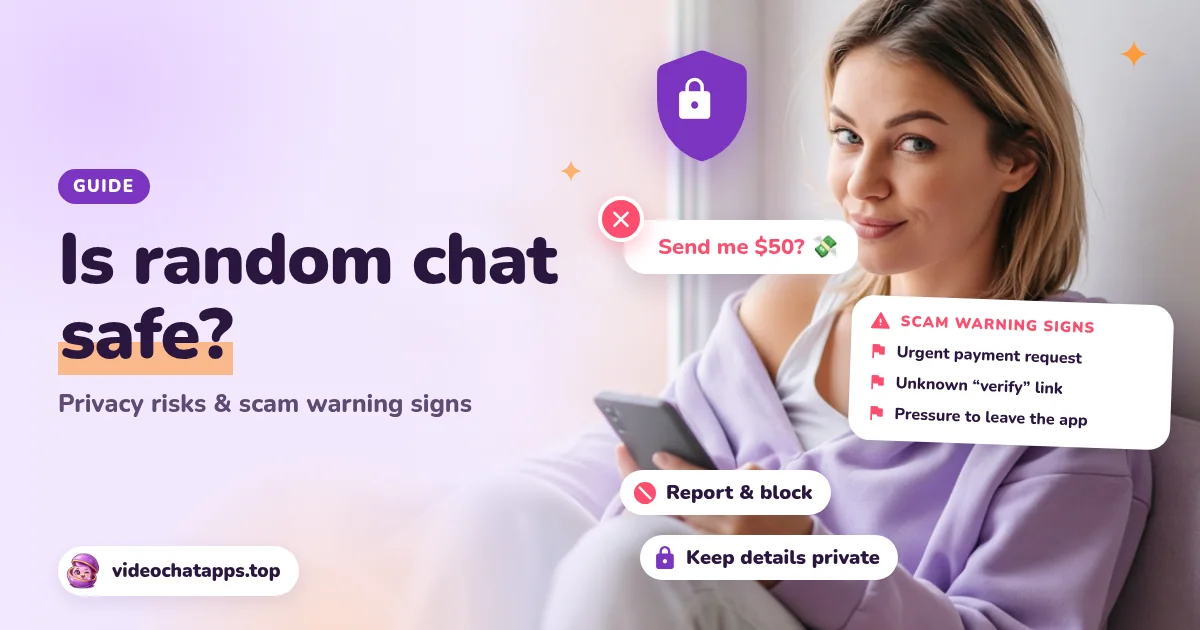
This guide covers privacy risks and common scam warning signs during a random chat. It does not score individual apps against a safety rubric; that is the job of the safest video chat apps for meeting new people. You may also want apps like Omegle if you are choosing a random-chat format.
The practical question is not whether every random video chat platform is completely safe or completely unsafe. It is what you reveal, what you can control, and how quickly you respond when something feels wrong.
| Risk | What it can look like | Immediate response |
|---|---|---|
| Screen recording | Someone saves your image or voice without telling you | Avoid revealing identifying details; end the chat |
| Personal information gathering | Questions about your address, workplace or accounts | Decline; do not share private details |
| Payment or romance scams | Requests for gifts, money or cryptocurrency | Do not send money; report and leave |
| Malicious links | “Verify your account” or “open this video” links | Do not click; use only official service pages |
| Harassment or explicit content | Pressure, threats or unwanted exposure | Skip, block or report using in-product controls |
No single moderation label removes all of these risks.
Move to a neutral place. A uniform, sign, piece of mail or distinctive view from your window can reveal where you live or work. Close tabs and applications that might show notifications or sensitive information. If a site supports a text-only option, you may prefer to inspect the environment before enabling video.
Use the official domain. Search results can include look-alike services with confusing names, and a fraudulent sign-in page may ask for more information than the real provider needs. Do not install browser extensions or unofficial “premium unlock” apps to access a video chat.
OmeTV publishes conduct rules and describes reviewing user reports. Chatrandom documents its reporting process and tells users not to share private information or follow stranger-supplied links. These are useful safety systems, but they act within technical and human limitations.
Moderation may address reported conduct, remove an account or limit access. It cannot guarantee that nobody will make a recording, lie about their identity or move a conversation off-platform. Treat chat rules as one protective layer, not a reason to lower your own boundaries.
1. An urgent payment request. A person says they are stranded, need emergency money or want you to buy a gift card after only a short conversation.
2. A new verification website. They ask you to prove you are real by visiting an unfamiliar domain, entering a code or uploading a document.
3. Pressure to leave the platform immediately. Moving to another app is not always suspicious, but urgency combined with secrecy or payment requests is a warning sign.
4. Requests for intimate images or recordings. Do not send material you would not want copied, shared or used against you.
5. A promised benefit that sounds too good. Free coins, special access or guaranteed matches in exchange for credentials are common reasons to disengage.
If a threat involves intimate imagery, stop interacting, preserve relevant evidence if safe to do so, report it to the platform, and consider reporting to the appropriate local authorities or support services.
Use a unique password when a service requires an account. Enable any available account-security controls. Purchases should happen only through verified app-store or provider billing flows. Before subscribing, read the renewal terms, cancellation policy and what you receive.
A “free download” does not imply free premium calls. Our free video chat apps guide explains that distinction. You can also read gender filter pricing to understand a frequent upsell.
You do not need to debate someone before ending a chat. If the behavior makes you uncomfortable, disconnect. Reporting is useful when you encounter threats, harassment, scams or violations of the provider's rules. Include only the details requested by the platform's reporting mechanism; do not publicly repost another person's images as a substitute for reporting.
Random stranger-video-chat services can expose users to adult interactions and content. Children and teenagers should not use adult-only services. Age rules differ by provider and jurisdiction; a site's accessible homepage does not mean it is appropriate for every age.
Yes. You should assume another participant could use screen-recording or a second device. Do not depend on the absence of a visible recording indicator.
It indicates a feature or process, not a guarantee. Review the reporting options and protect personal information regardless.
Not automatically. Both can access your camera when permitted, and both involve other users and a provider's data policies.
Do not open it. End or report the conversation. If you already entered credentials, change the affected password through the real service and review account security.
Bottom line: You can reduce risk by controlling what is visible, declining personal requests, using verified links and leaving quickly. Treat any stranger video call as a public encounter, even if it feels private.
Video chat apps we feature.
WebiOS
Per the app: Video chat 1-on-1 on the web or with the iPhone app.

iOS
Per the app: iPhone party rooms: video chat plus question & challenge cards.

iOS
Per the app: iPhone video chat with real-time translation and moderation.
Featured = our editorial picks, shown first.How we pick